Coming soon to iOS and Android
Finally, a map of places you actually want to go to.
See a spot in a reel? Share it to Spotted. It watches, listens and reads the whole video, finds every café, bar, stay and sight, and pins them on your map.
- Instagram reels
- YouTube Shorts
- TikTok

Three steps
-
Step 1
Share a reel to Spotted
From Instagram, YouTube Shorts or TikTok. Tap Share and pick Spotted.
-
Step 2
We find every place in it
AI reads the caption, listens to what’s said and watches what’s shown.
-
Step 3
See them on your map
Every place gets a pin. Tap one to watch the original reel or get directions.
How it works
It reads the whole video. Not just the caption.
Places hide everywhere: in a hashtag, in a sign behind the creator, in a comment saying “this is in Bandra”. Spotted checks all of it.
1The video you shared
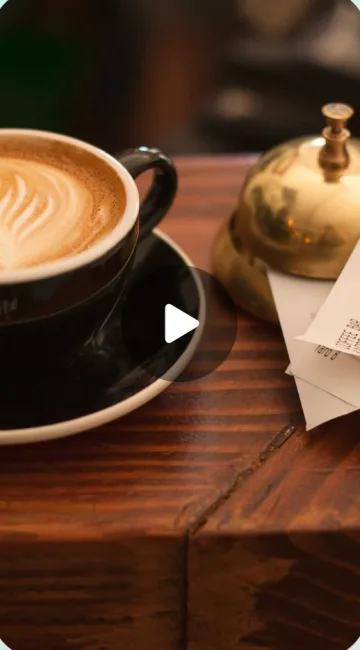
- Title
- Caption
- Hashtags
- Location tag
- What’s said
- Text on screen
- What’s shown
- Top comments
2AI finds the places
- Fetching the post
- Watching and listening
- Picking out the places
- Putting them on your map
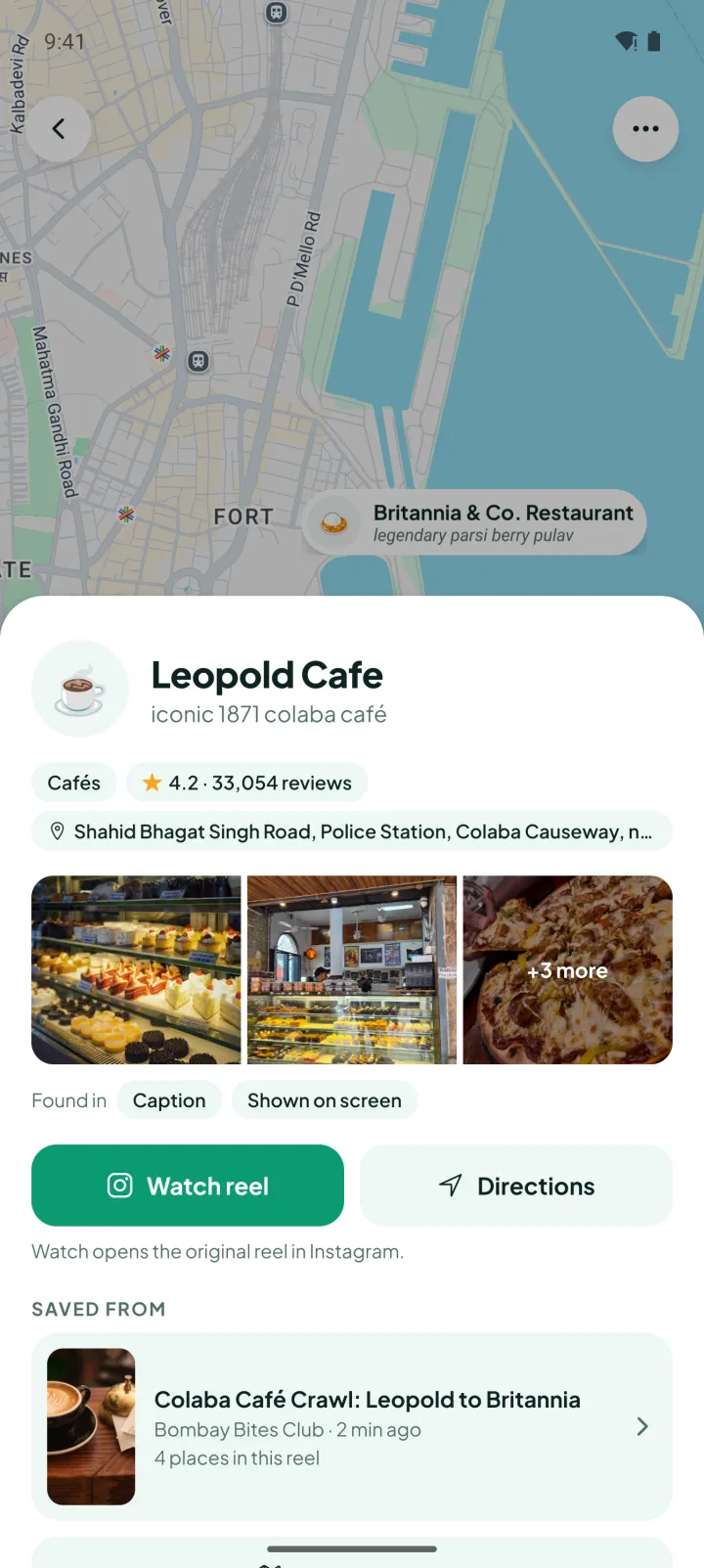
3Pinned with Google Places
- Leopold Cafe Found in: CaptionShown on screen
- Cafe Mondegar Found in: Said in the videoComments
- Kala Ghoda Café Found in: CaptionSaid in the video
Each place shows where it was found, so you can trust the pin. Videos with no places, or that can’t be read, aren’t kept. No clutter.
Want it on your phone? Get notified at launch
Share card
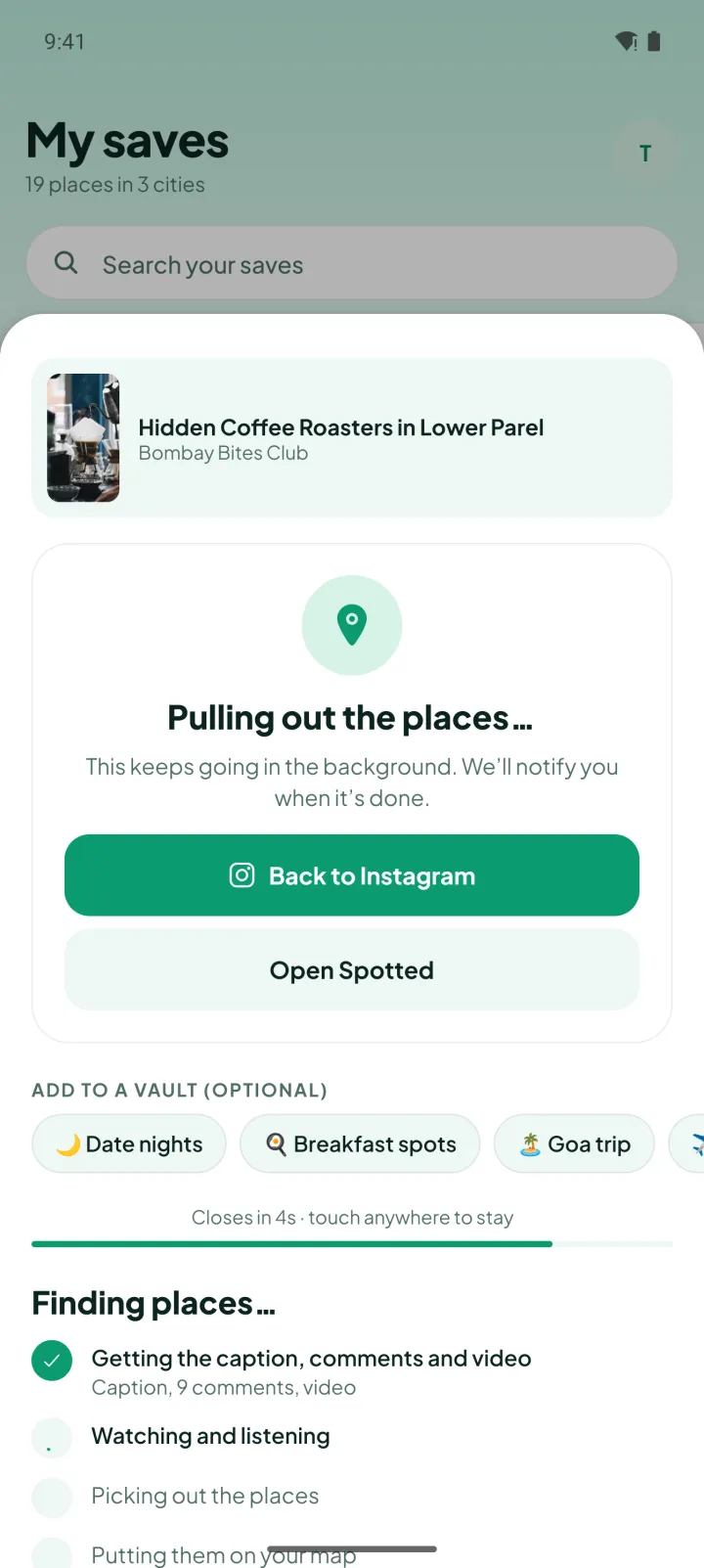
Share it, then get straight back to scrolling.
A small card pops up while Spotted gets to work. It closes itself after five seconds and drops you back into the app you were in. Extraction keeps going in the background.
- Back to Instagram or Open Spotted, your call.
- Optionally drop it straight into a vault like “Goa trip”.
- Live, real-time progress: fetching, watching and listening, picking out places, putting them on your map.
Notifications
A ping when your places land.
No need to wait around. When Spotted is done, you get a notification with what it found. Tap it to open the reel.
- “📍 4 places saved” with the names, right on your lock screen.
- A video with no places, or one that can’t be read, isn’t kept. Your saves stay clean.
Reel page
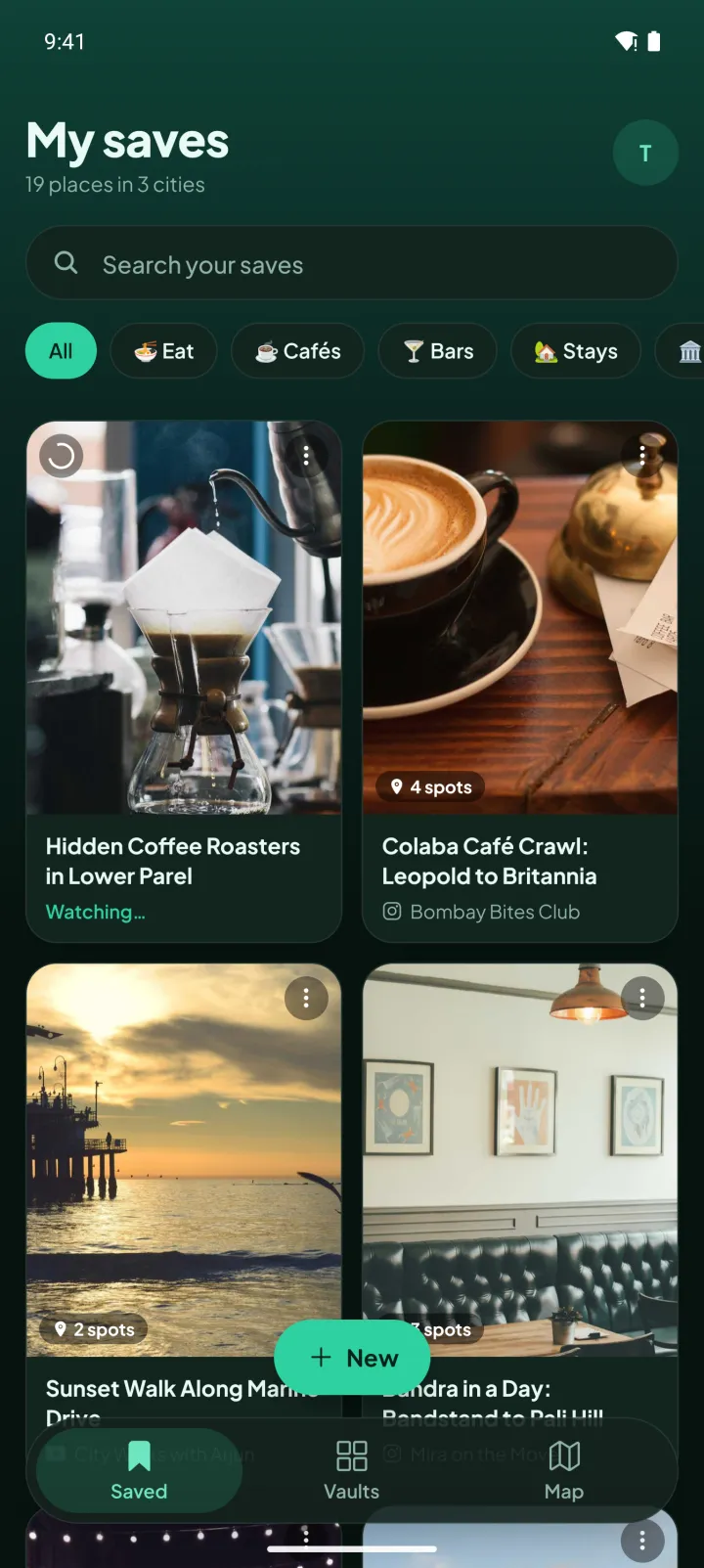
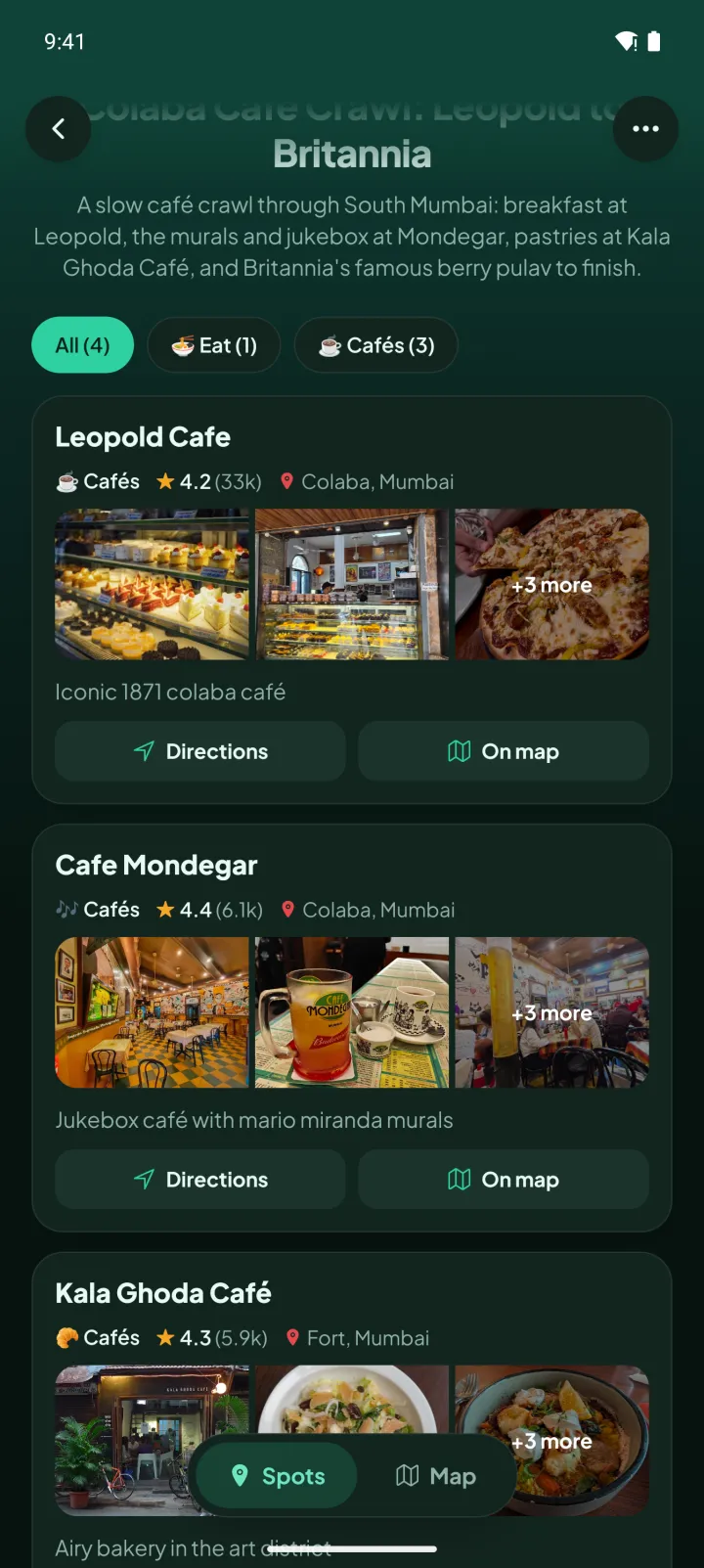
Every reel becomes a tidy little guide.
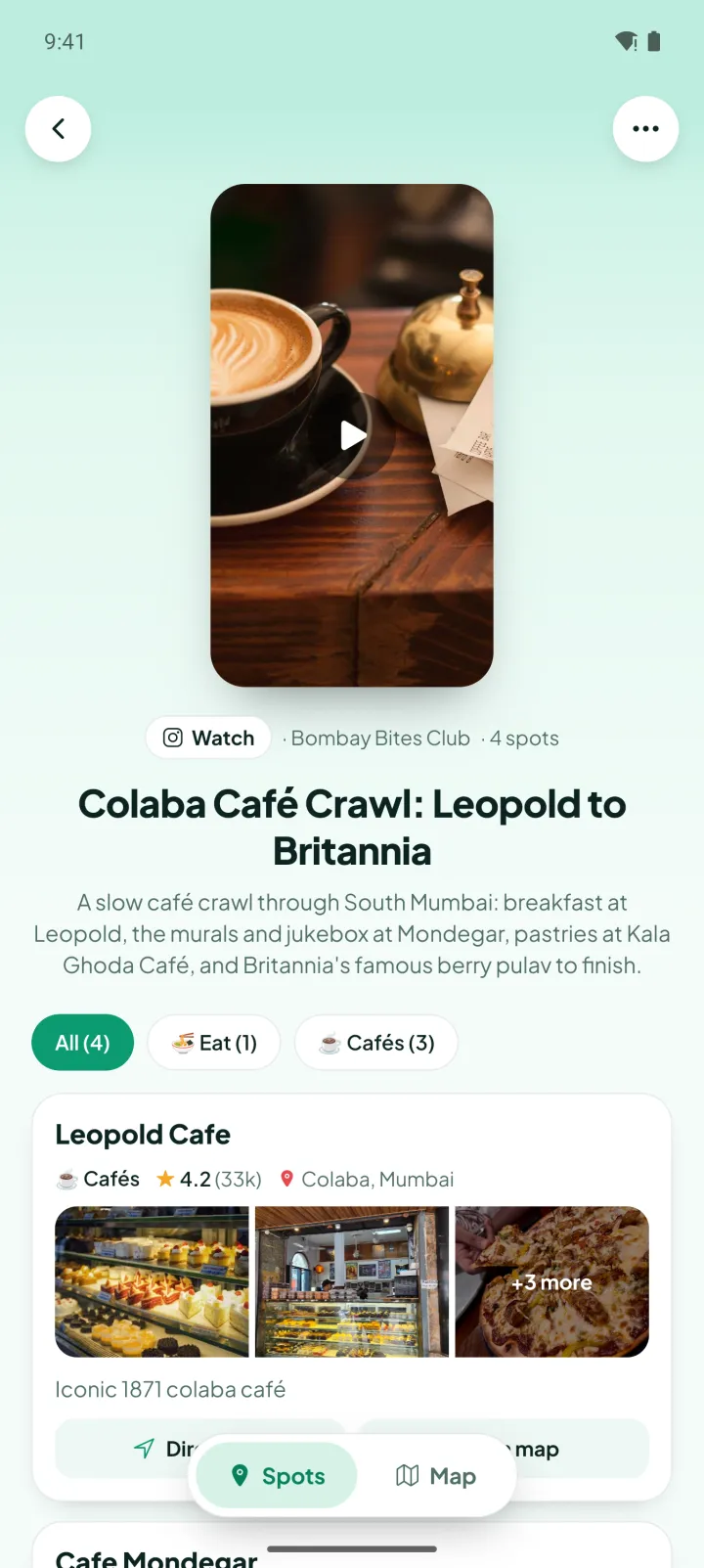
Spotted writes a clear title and a short summary, sorts the places by type, and gives each one a rich card you can actually use.
- Big cover with a play button that opens the original video in its own app.
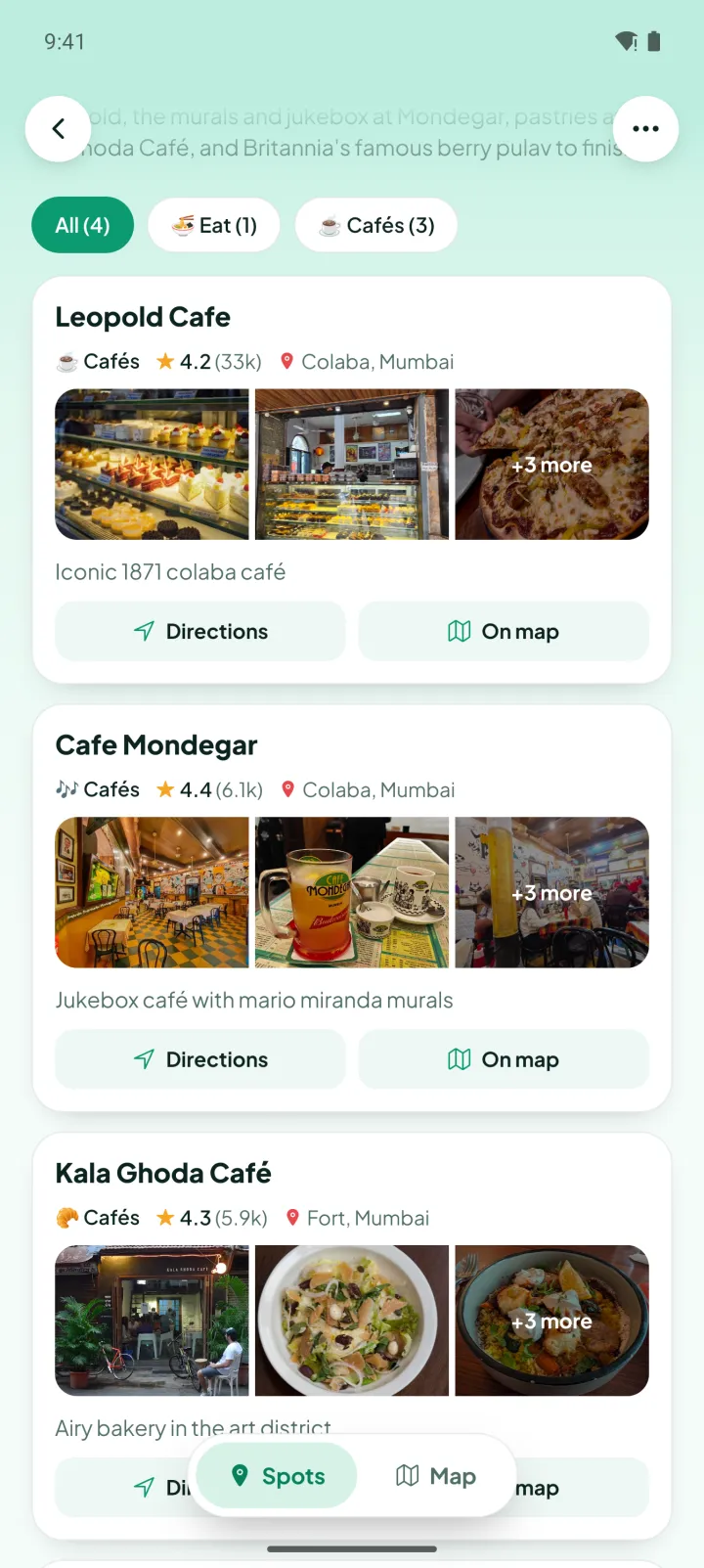
- Place cards with Google rating, area and photos, plus Directions and On map.
- Category chips with counts, and a Spots / Map toggle for just this reel’s places.
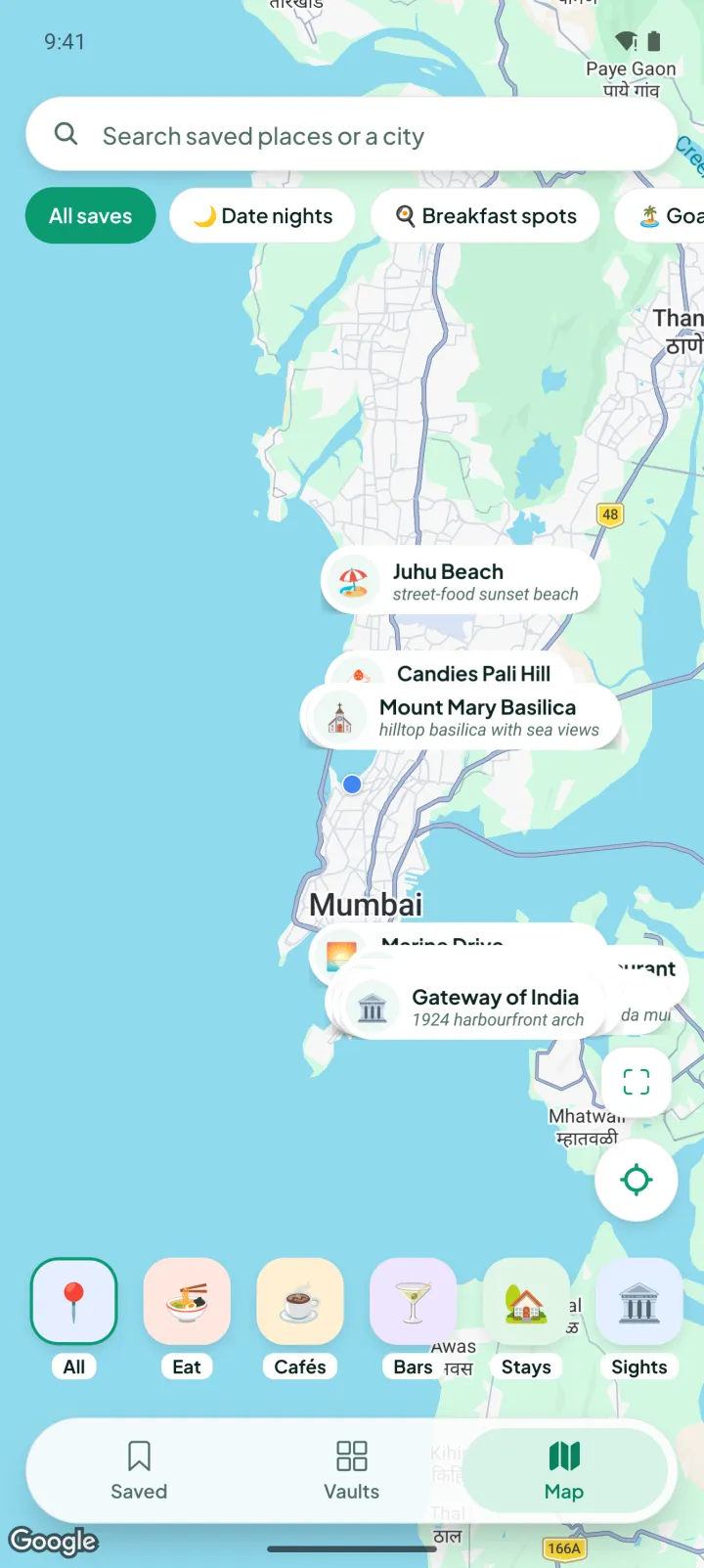
Map
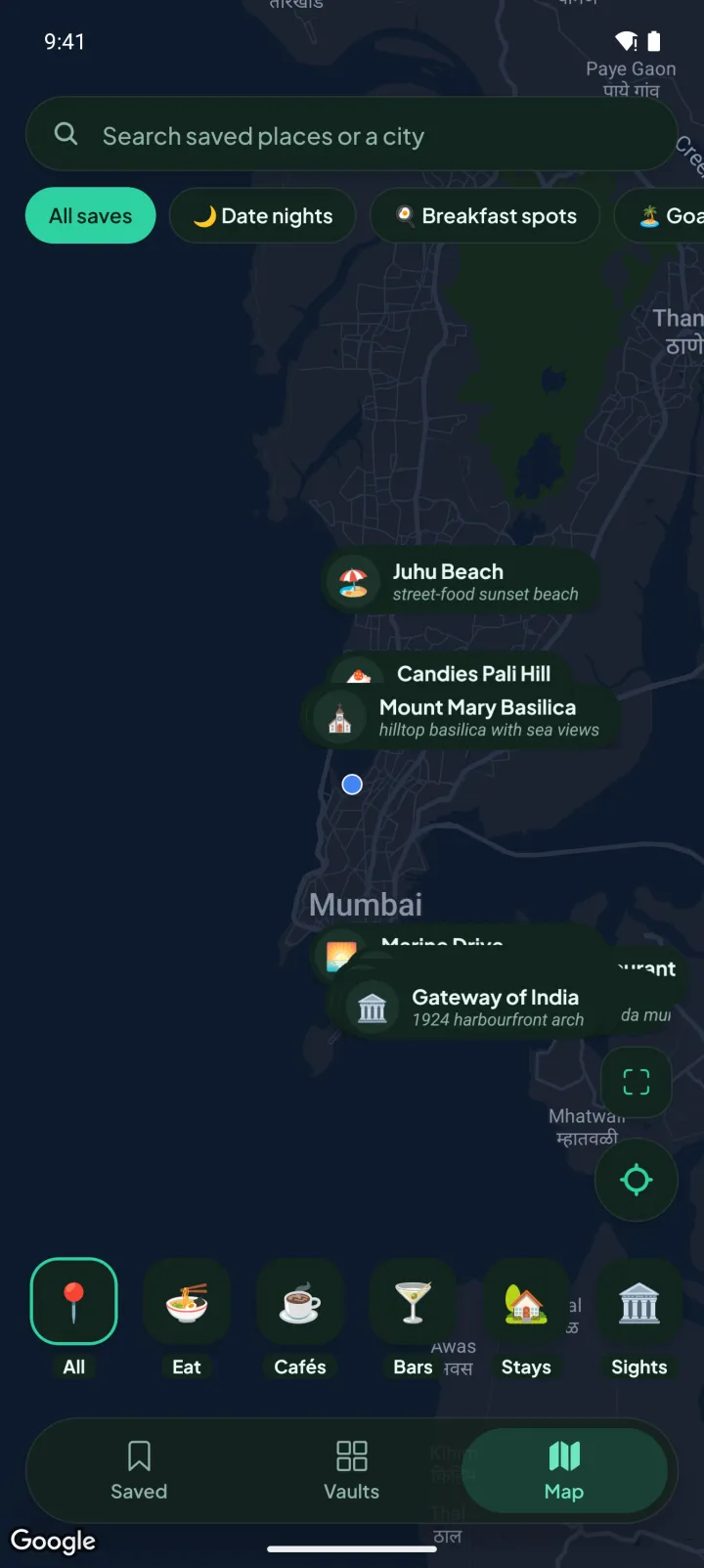
Find them again when you’re nearby.
The map opens around where you are, about 17 km across, with every saved spot as a labelled pin. Planning a trip? Search a city and jump straight there.
- Search a saved place or any city.
- One tap to come back to your location.
- Filter by vault, or by what you’re in the mood for.
- Eat
- Cafés
- Bars
- Stays
- Sights
- Shops
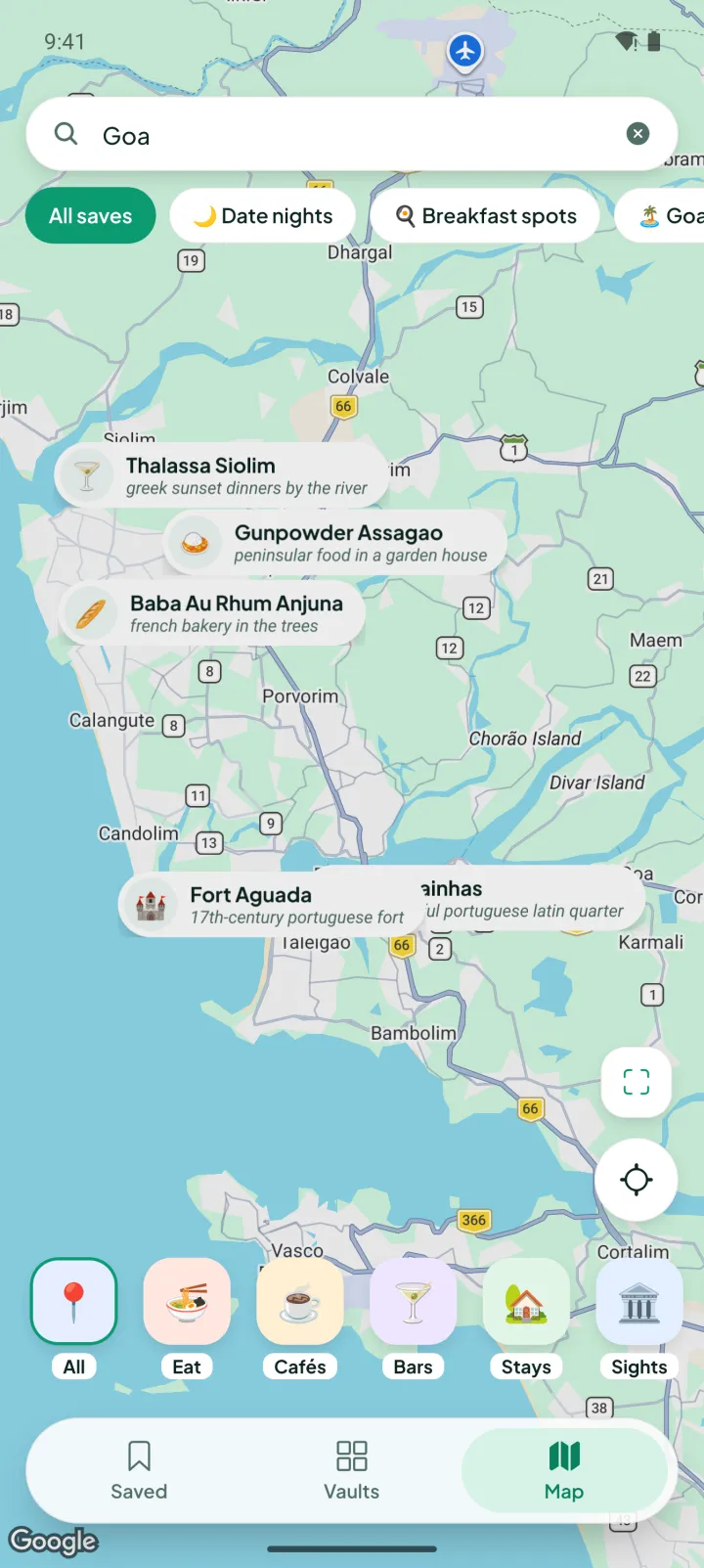
Vaults
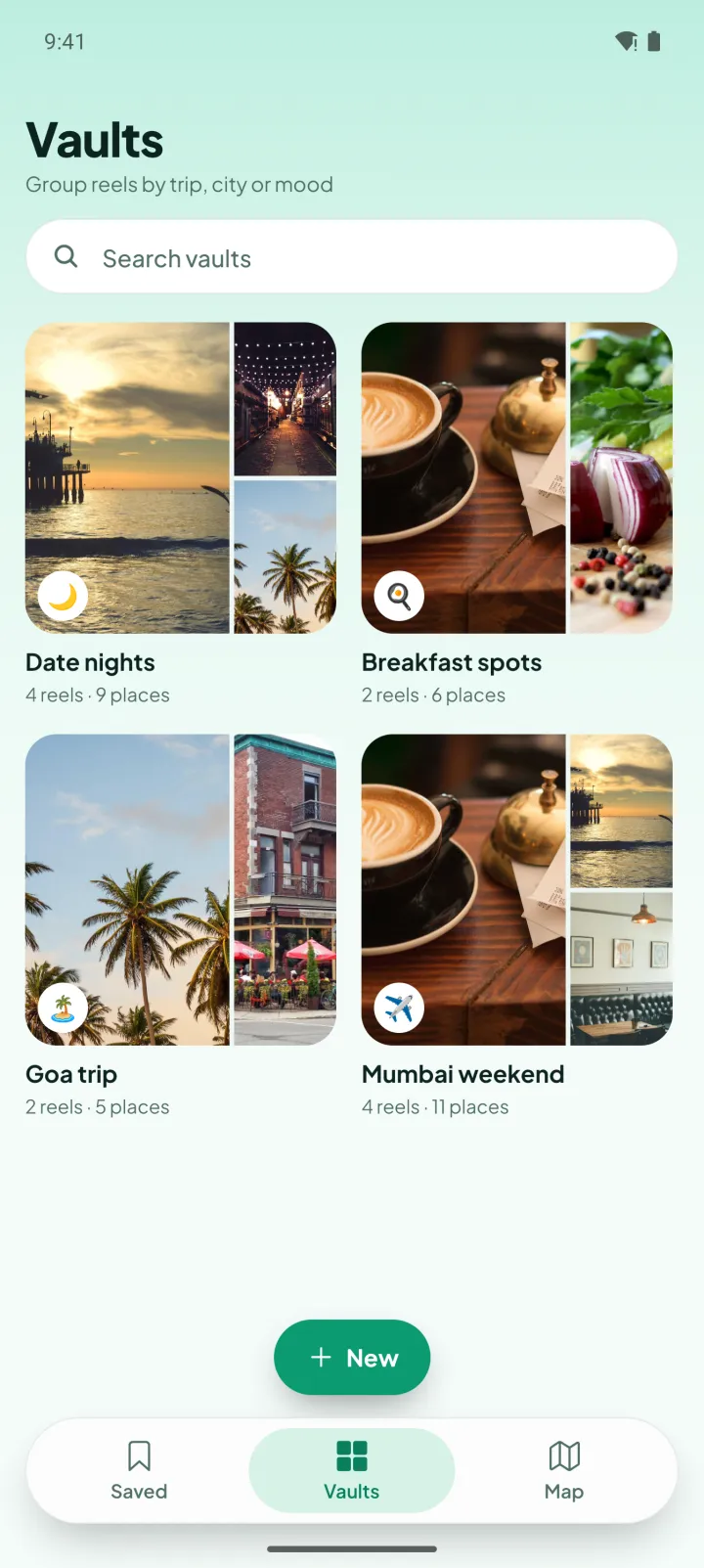
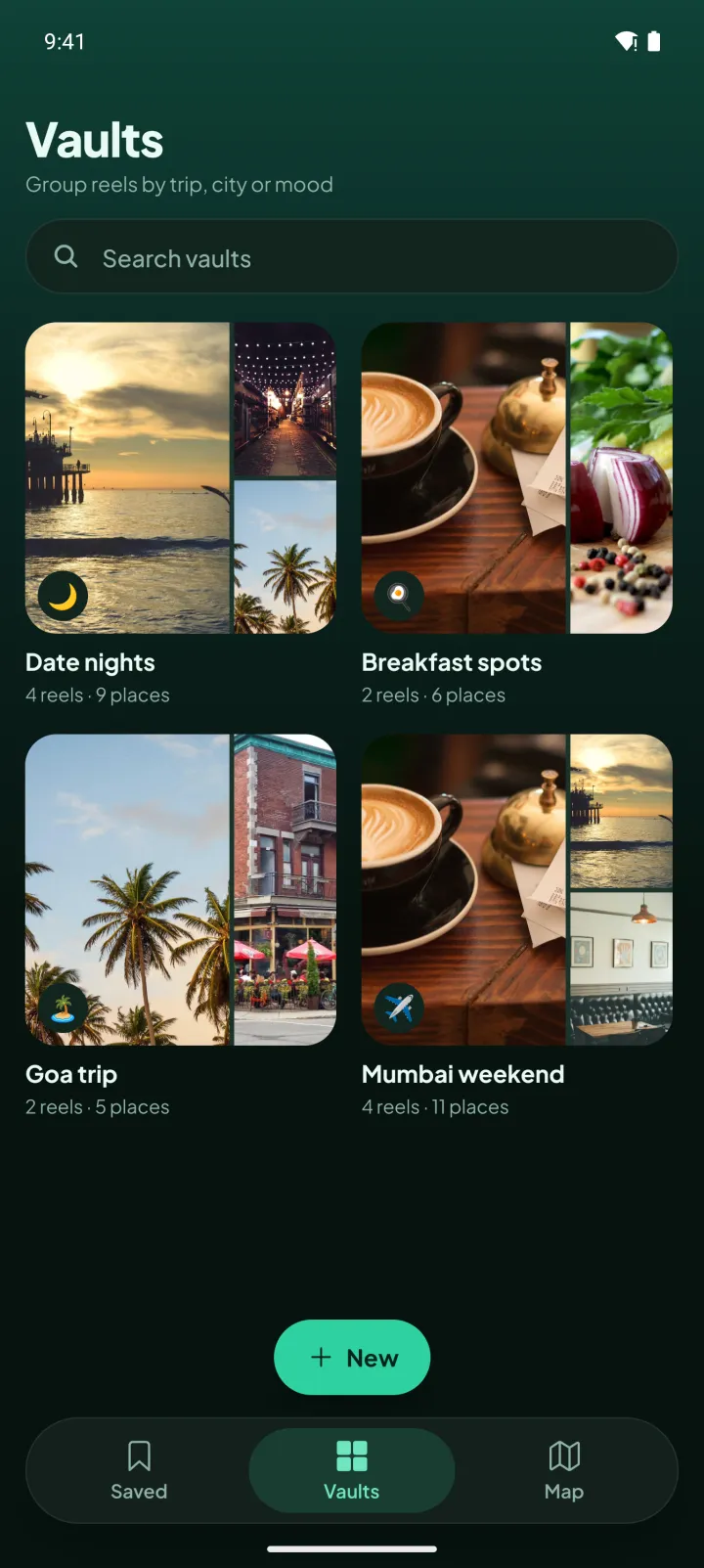
Group reels by trip, city or mood.
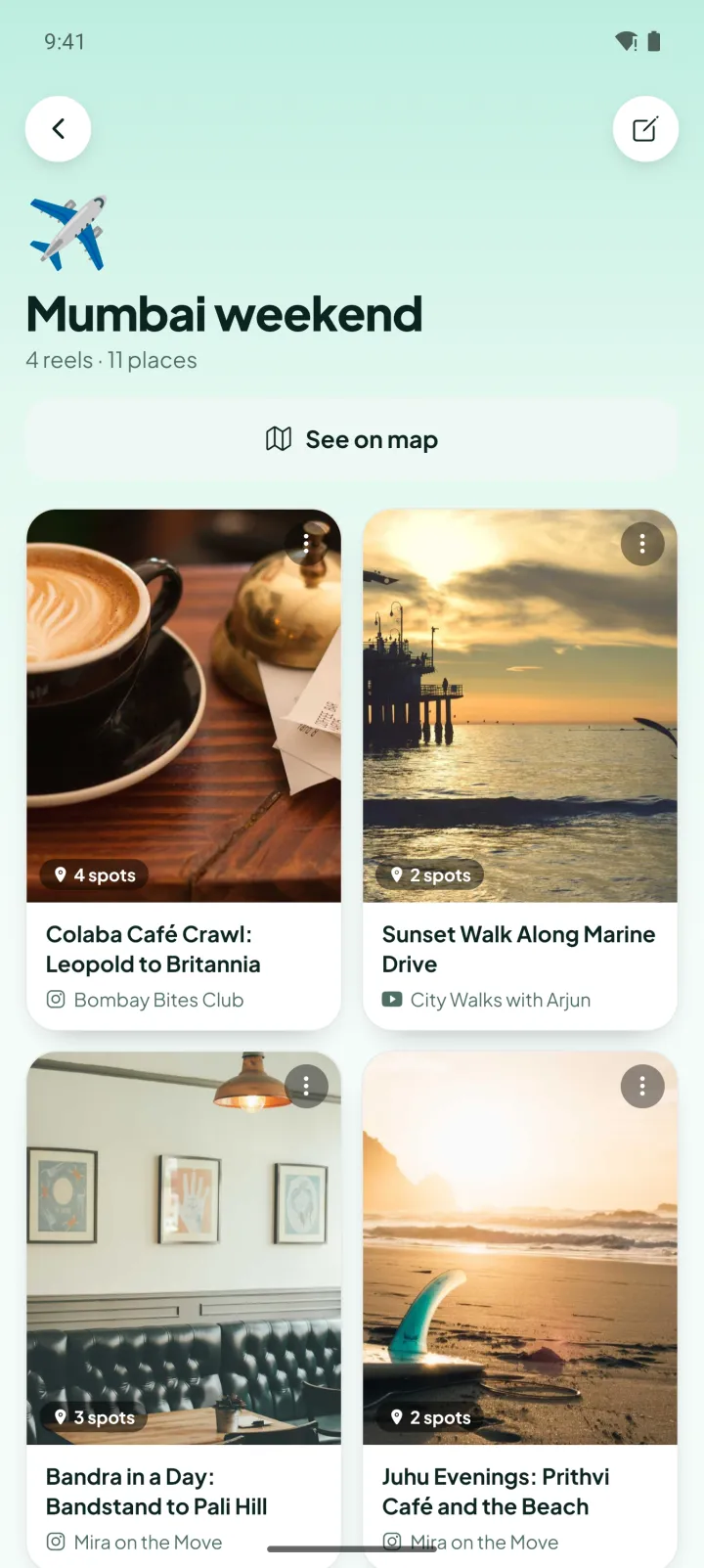
Make a vault for the next holiday, the weekend list or the date-night shortlist. See any vault on the map in one tap.
- Goa trip
- Date nights
- Breakfast spots
- Mumbai weekend
Light and dark
Just as good after dark.
Spotted follows your system, or pick light or dark yourself. Drag to compare.
Make it yours
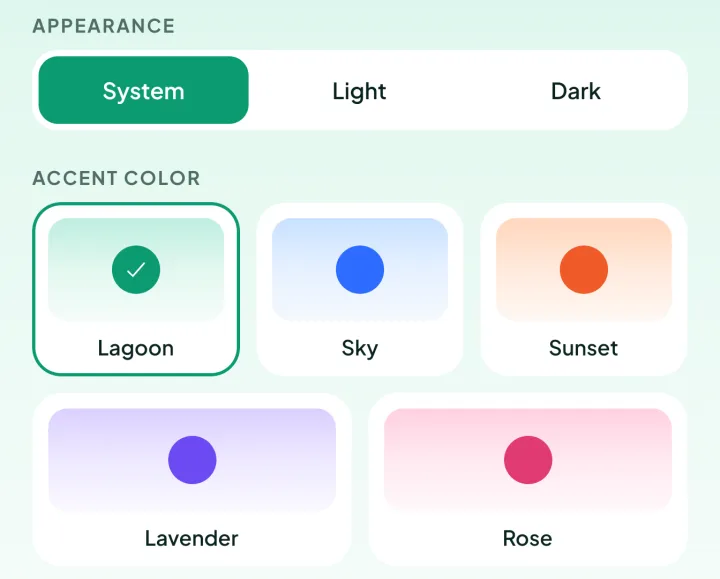
Five accent palettes. Try them here.
Lagoon is the default. Sky, Sunset, Lavender and Rose are a tap away in Settings. Go on, this page changes too.
Yours, everywhere
Your map follows you. Nothing else does.
-
Sign in with Google or Apple
One tap to get started: Google on any phone, or Sign in with Apple on iPhone.
-
Syncs across devices
Your saves, vaults and places are there on any phone you sign in on.
-
No ads. No selling data.
Your location stays on your phone, only used to centre the map. Read the privacy policy.
FAQ
Questions, answered.
When can I get Spotted?
Spotted is coming soon to iOS and Android. Tap “Get notified” and we’ll email you when it’s in the stores.
Which apps can I share from?
Instagram reels, YouTube Shorts and TikTok. Tap Share on the video and pick Spotted. The app shows you how to add Spotted to your share sheet the first time.
Do I have to wait while it works?
No. The share card closes itself after five seconds and takes you back to the app you were scrolling. Spotted keeps going in the background and sends you a notification when your places are saved.
How does it find the places?
It looks at the title, caption, hashtags and location tag, what’s said, the text on screen, what’s shown and the top comments. Google Gemini watches the video, Anthropic’s Claude picks out every specific place, and Google Places pins each one with its address, area, rating and photos.
What if a video doesn’t mention any places?
Then it isn’t kept, and you get a quick note saying so. The same goes for videos that can’t be read. Your saves only hold videos that put something on the map.
Does Spotted track my location?
No. Your location is used only on your phone to centre the map, and it’s never sent to our servers. See the privacy policy for the details.
Can I delete things?
Yes. Delete any reel or place whenever you like. To delete your whole account, email us and we’ll take care of it.
Stop screenshotting reels. Start a map.
Spotted is coming soon to iOS and Android. Be the first to know.
Get notified at launch